
How We Built a Scalable UA Creative Pipeline for a Language Learning App
Language learning ads often start in a predictable way: an app interface appears on screen, a few vocabulary exercises follow, and the viewer is told they can learn a new language.
For a recent language learning project, we wanted to approach UA creative production differently. Instead of introducing the app immediately, we built many of the concepts around situations where knowing another language suddenly becomes useful.
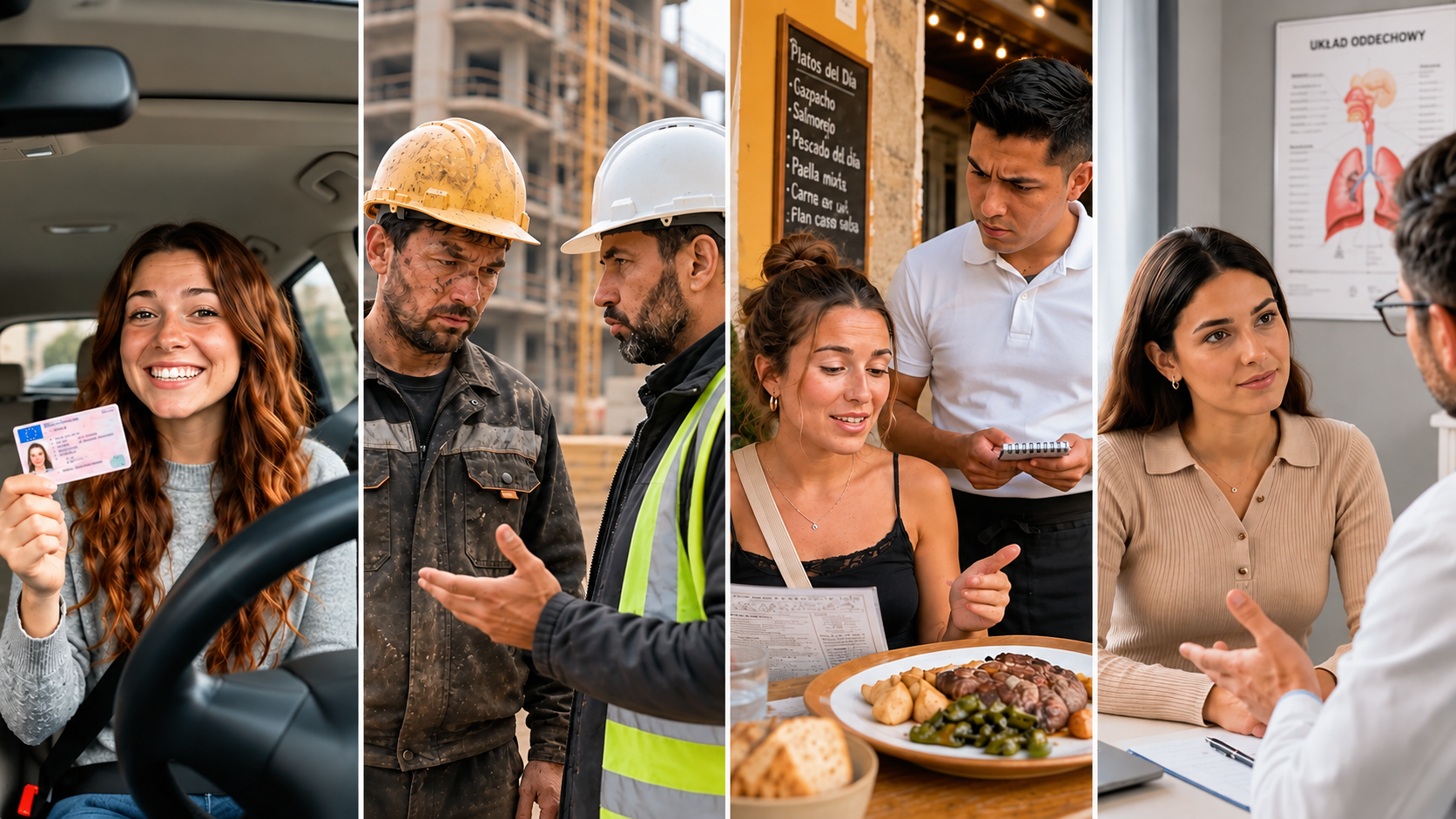
A police officer approaches your car. A doctor asks you a question. You're taking a driving test and the instructor starts giving commands in Spanish. You're cooking and suddenly can't remember the English word for something you use every day.
The language problem comes first. The app appears later, once there is already a reason for the viewer to care about it.
This approach became the basis for a larger creative production system that Asterman developed for the project, covering concept development, scripting, localization, UGC and AI-assisted production, app integration, editing, variations, and ongoing revisions.
What Is The Project?
The client is a mobile language learning app focused primarily on vocabulary. Its learning process combines images, words, audio pronunciation, repetition, and short exercises.
One aspect of the product was particularly useful for us creatively: learning a word isn't much help if you only recognize it inside an exercise. You need to remember it when you're standing at a pharmacy, talking to someone at work, ordering dinner, or trying to explain something to a doctor.
We used that idea as a starting point for the advertising.
The goal was to produce short vertical videos for user acquisition campaigns, but this wasn't a one-off campaign with a single hero asset. We needed to develop concepts that could be tested, adapted, localized, and turned into further variations over time.
Finding a Better Way Into the Product
The obvious approach would have been to start each video with the app: show how an exercise works, explain the benefits, and finish with a CTA.
The problem is that language learning advertising can quickly become repetitive. More importantly, showing an app interface in the first second immediately tells someone scrolling through their feed that they're looking at an ad.
So we started elsewhere.
One concept opens with a police officer approaching a car. The protagonist is visibly nervous and the interaction feels serious. The officer speaks Polish, but instead of struggling to understand him, the protagonist answers confidently. Only after that interaction do we reveal how he learned the language.
Another concept takes place during a driving test. The instructor gives commands in Spanish: brake, turn right, park here. In this context, understanding a few words suddenly matters much more than it would in a standard vocabulary exercise.
We also worked with much simpler situations. In one creative, someone cooking realizes they can't remember a basic English word and reaches for a translator again. Another uses deliberately bad English as the joke, with a character confidently inventing incorrect phrases.
These concepts look very different, but the thinking behind them is similar. The viewer sees something recognizable first and understands the language problem before the product enters the story.
Building the First Few Seconds
For UA creatives, a good concept still has to work very quickly.
We spent a lot of time on the first few seconds of each video. Sometimes the hook came from tension, sometimes from humor or a misunderstanding. In other cases, simply dropping the viewer into an unusual conversation was enough.
The police scenario is a good example because it doesn't need much explanation. A serious-looking officer leaning into an open car window already gives the scene context. You understand that something might be wrong and want to see how the interaction plays out.
That gave us room to introduce the language element naturally rather than opening with a logo, interface, or explanation of the app.
Across many of the concepts, the general flow was similar:
Hook → real-life situation → problem or payoff → product reveal → short app demo → CTA.
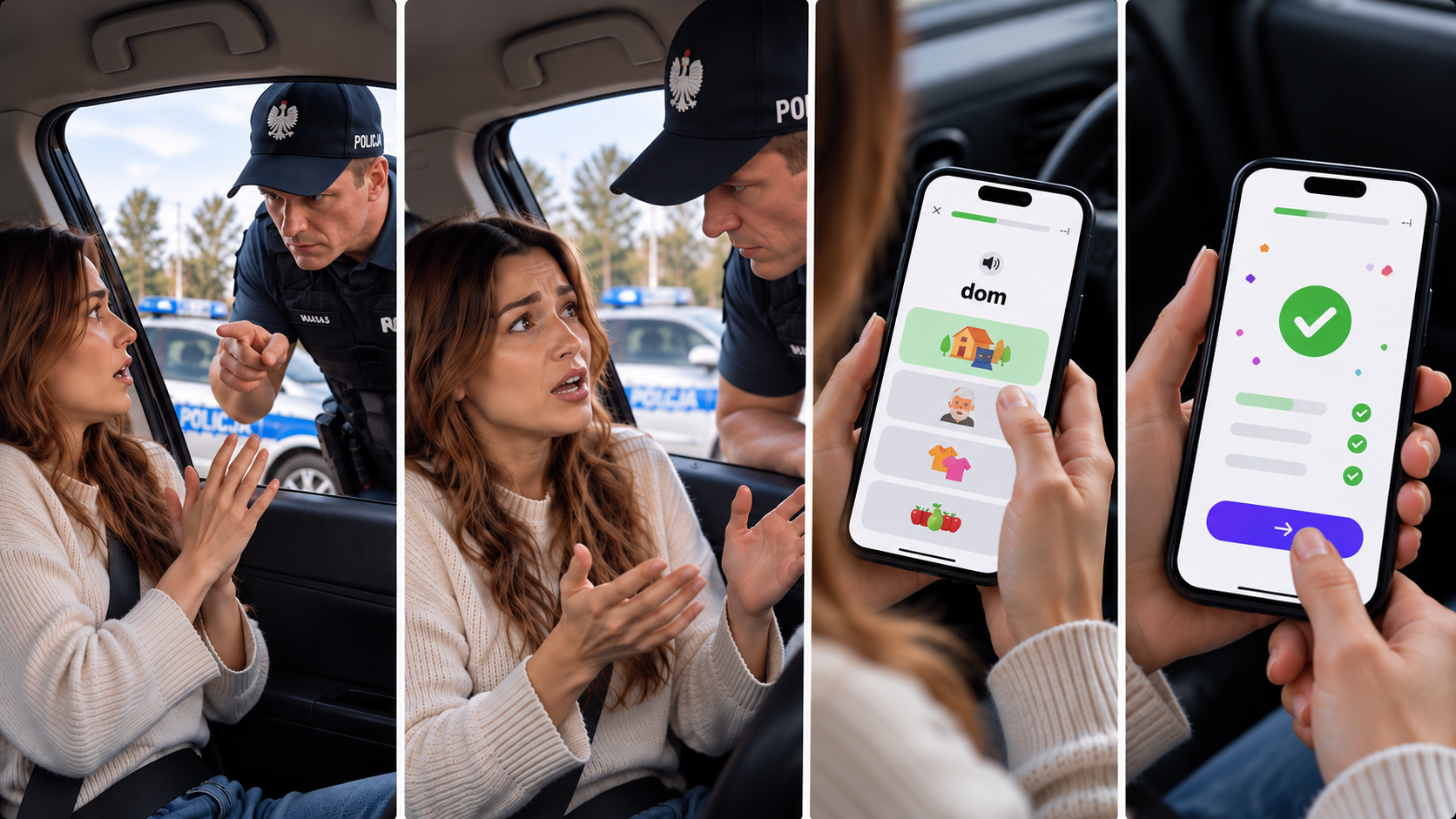
We didn't treat this as a rigid template. It was simply a useful structure that could be adapted depending on the idea.
Connecting the Story to the App
One of the trickier parts was the transition between the UGC-style scene and the actual product.
It's easy to make an entertaining opening and then lose the viewer as soon as the video switches into a conventional app advertisement. We wanted the reveal to feel like a continuation of what had just happened.
In the police scenario, for example, the question “Where did you learn Polish?” gives us a reason to show the app. In the driving concept, the protagonist explains that the commands were words they had already practiced. In another video, repeatedly forgetting vocabulary and checking a translator becomes the reason for using the product.
Once the app appeared, the product demonstration stayed fairly short. We showed the basic learning experience — an image, the corresponding word, pronunciation, repetition, and a quick exercise — without turning the second half of the video into a full tutorial.
The story had already established the problem. The demo only needed to show how the product addressed it.
Building a System Instead of a Single Ad
As production continued, we weren't treating every new video as a completely separate idea.
Some concepts could support another character or situation. A useful hook could be adapted for another language. A scenario could stay largely the same while the dialogue, product demonstration, or audience changed.
That made it possible to develop a growing library of creatives without starting from a blank page every time. Asterman handled multiple rounds of concept development, production, feedback, revisions, and variations throughout the project.
The important part was deciding what could change without losing the idea that made a concept work in the first place. Depending on the creative, that could mean changing the character, market, opening line, language, or specific situation while keeping the same basic product message.
Over time, this resulted in a substantial library covering different scenarios and language combinations rather than one campaign asset with minor edits.
For an ongoing UA campaign, this kind of structure is useful because creative production is rarely finished after one delivery. New variations are needed, feedback comes back, markets change, and some directions are worth developing further.
Localization Was Part of the Concept
The project covered several language combinations, including Russian to Polish, Ukrainian to Polish, Russian to German, Ukrainian to German, English to Spanish, English to Turkish, and others.
But translating the dialogue wasn't enough.
The situation itself had to make sense for the audience.
For someone learning Polish after moving to Poland, a conversation at a pharmacy, a doctor's appointment, or an interaction at the border can feel immediately relevant. Employment and workplace situations gave us another direction for German. For Spanish, we could work with scenarios around driving, restaurants, taxis, and everyday conversations.
This meant localization started much earlier than subtitles. We had to think about whether the situation, vocabulary, character, and reason for learning the language would still feel believable in another market.
In some cases, an existing concept could be adapted easily. In others, it made more sense to change the scenario itself.
Using UGC and AI in Production
Visually, many of the videos were designed to feel closer to content people already see on TikTok, Reels, and other short-form platforms.
That could mean a phone-camera perspective, a casual conversation, POV footage, or a character speaking directly to the camera.
We also used AI tools where they were useful for production. They helped us work with a larger number of concepts and variations, but we didn't want “AI-generated” to become the visual identity of the campaign.
If a scene involved a police stop, a driving test, or a conversation at work, it still needed to feel believable enough for the idea to land. The technology behind the shot mattered less than whether the situation worked as an ad.
That was especially important because the project mixed creative development with performance requirements. Producing more content was useful only if the videos still had clear hooks, readable situations, concise dialogue, and a natural path to the product.
Designing for Iteration
Because the videos were made for user acquisition, we approached production with testing in mind.
That affected small decisions throughout the process: how quickly the viewer could understand the opening, how long a conversation should last, when the app should appear, how much of the product needed to be demonstrated, and whether an idea could be adapted into another version later.
Several creative directions received promising performance feedback and were developed further. We don't have public campaign metrics that we can share, so we're deliberately not attaching CTR, CPI, CPA, or ROAS figures to the case.
What mattered from our side was that feedback could feed directly back into production. Instead of treating delivery as the end of the process, we could revise an existing creative or use what we had learned to shape the next one.
What We Took From the Project
One of the clearest lessons from this project was that a language learning ad doesn't need to introduce the app in the first few seconds. Putting the viewer into a familiar situation first can make the reason for learning a language immediately clear.
A driving test, a conversation with a doctor, an order at a restaurant, or an interaction with a police officer already gives the story context. The product can appear later, when the viewer understands why it is relevant.
The project also reinforced the importance of building UA creatives with future iterations in mind. Instead of treating every video as a separate production, we developed concepts that could be adapted for different situations, languages, characters, and audiences. This gave us more room to test new directions and respond to performance feedback throughout the project.
For Asterman, the work covered the full creative process, including concepts and scripts, localization, UGC-style and AI-assisted production, app integration, editing, and ongoing variations.
Looking for a team to produce and scale UA creatives for your app or game? Get in touch with Asterman to discuss your project.
FAQ
What are UA creatives for mobile apps?
UA creatives are ads designed specifically for user acquisition campaigns. They can include short-form videos, UGC-style content, animation, product demos, and different variations created for ongoing performance testing.
What makes a good UA creative for a language learning app?
A strong creative gives viewers a reason to care before introducing the product. For language learning apps, real-life situations such as work, travel, driving, or everyday conversations can make the need for the language clear before the app appears.
Why do UA campaigns need multiple creative variations?
Performance campaigns require continuous testing. Different hooks, characters, scenarios, languages, and product messages can be tested to understand which creative directions are worth developing further. Building variations also makes it possible to scale production without starting every video from scratch.
How should UA creatives be localized for different markets?
Localization should go beyond translating dialogue or subtitles. The situation, vocabulary, characters, cultural context, and reason for learning the language may also need to change depending on the audience and market.
How can AI be used in UA creative production?
AI can support different stages of UA production, including concept exploration and the creation of visual variations. In our workflow, it was one part of the production toolkit rather than the focus of the creative itself. The concept, storytelling, localization, editing, and quality control still shaped the final result.